GAMEZESTY
FREE · PLAY HERESandspielStay on Gamezesty · publisher ads may appear
SandspielSandspiel · HTML5

PUZZLE · HTML5

Sandspiel

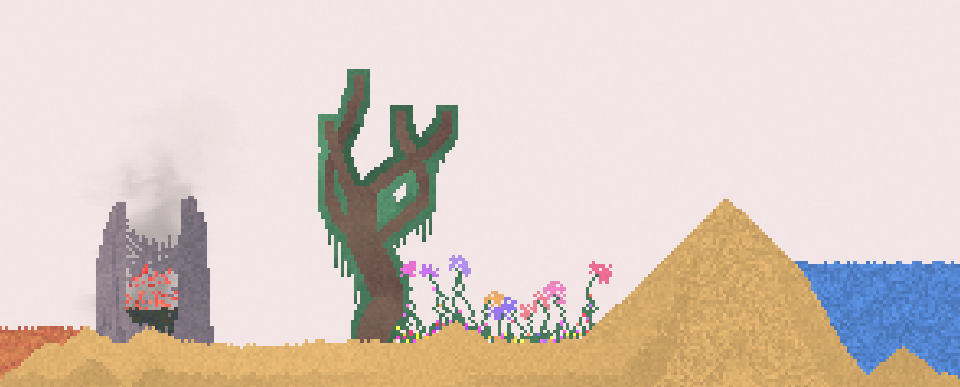
Paint a tiny world using sand, water, fire, plants and other materials, then watch their reactions unfold. Sandspiel is an open-ended sandbox with no score to chase: build a wall, pour in water, grow a garden or see what a small flame changes. Brush sizes and pause controls make it easy to experiment at your own pace. The browser version also offers a gallery of creations when you want fresh ideas.

  • An open-ended material sandbox
  • Fire, fluids and growing plants
  • Drawing tools and a creation gallery
Sandspiel cover

YOUR FIRST ROUND

How to play Sandspiel

Choose a material from the palette and drag across the canvas to paint it. Pick a smaller brush for detail, use Empty to erase and pause the simulation when you want to arrange materials before they react.

  1. Choose Wall and draw a container.
  2. Add Sand or Water and watch how each settles.
  3. Try a second material to discover a reaction.
  4. Adjust brush size or pause the simulation for a more detailed creation.

Controls

Mouse drag / touch
Paint the selected material
Material buttons
Choose an element or the Empty eraser
Pause button
Freeze or resume the simulation

Tips for a better run

  • Start with two materials at a time so you can see what causes each reaction.
  • Use walls to separate experiments and Empty to make small corrections.

GAME DETAILS

Source
Sandspiel
Format
HTML5
Developer
Max Bittker
Platforms
Browser
Orientation
Responsive
Play location
Here on Gamezesty
View source page ↗

An independent game hosted by its creator. Game progress belongs to the creator's site; use its save or export options before switching browsers.

BEFORE YOUR NEXT ROUND

Sandspiel: useful things to know

A creative falling-sand simulation for drawing materials and observing how a small experiment develops.

What kind of goal should I set for a first Sandspiel experiment?

Choose a small construction or reaction to explore rather than looking for a conventional level to clear. The project is designed as a creative simulation, so a useful first goal is simply to find out how one material behaves.

How can I work out what caused a reaction in my drawing?

Start with a small amount of one material, then introduce just one other material. Change one part of the setup at a time so you can compare the result instead of mixing many materials and losing track of the cause.

Publisher / creator research reviewed . These notes describe the game; they are not a claim of testing every level or device. Our editorial approach.

Sources for these notes